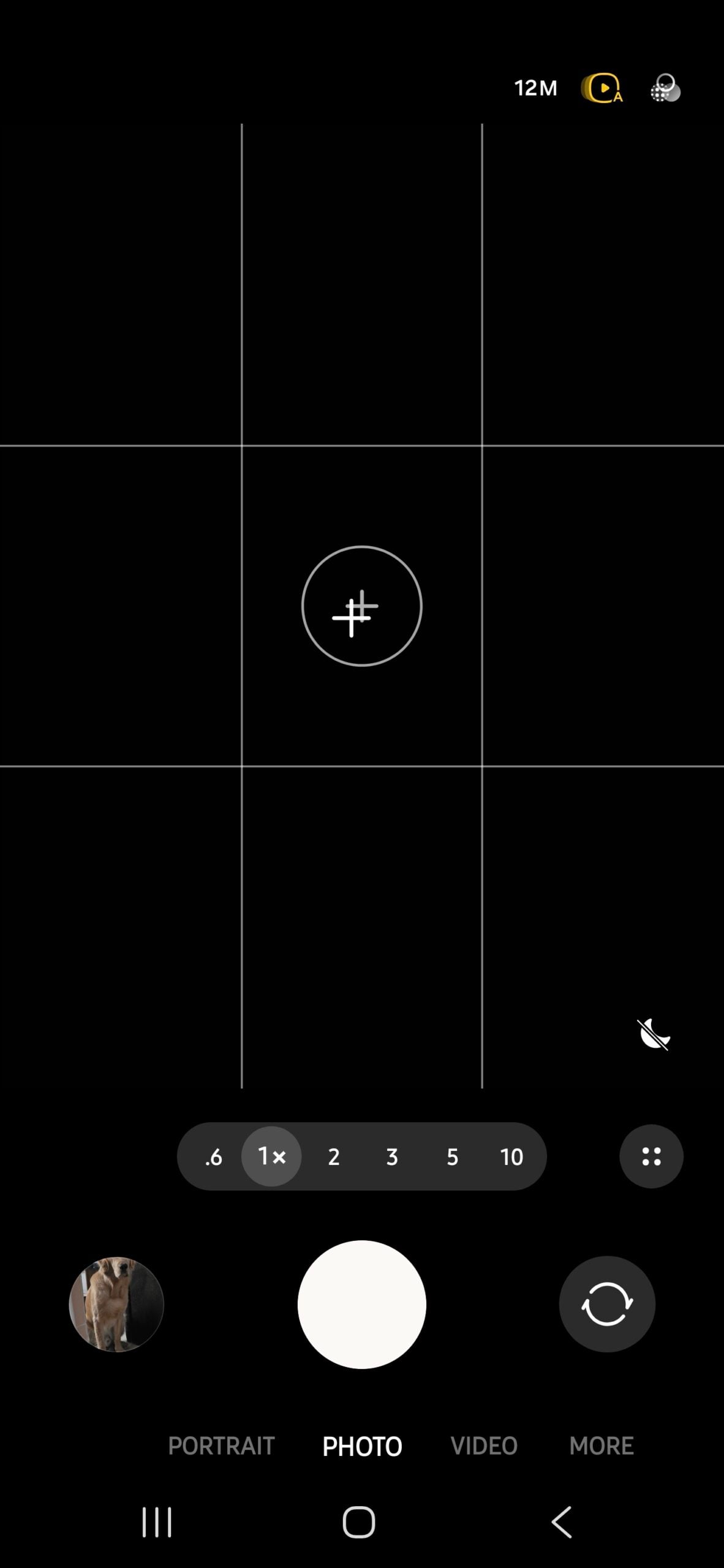

So you just unpacked your new Galaxy S26, S26+, or S26 Ultra, set it up, opened the camera to take some photos in tough lighting conditions, tried to switch to Night mode, and realized it doesn’t exist.
Whether you’re a new Samsung customer or just upgraded from an older Galaxy phone, you may run into this dilemma. You might be wondering: does the phone not have a dedicated Night mode in the camera app?
Where did the dedicated Night mode go on the Galaxy S26?
Out of the box, that is indeed the case. Samsung has removed the dedicated mode and instead turned Night mode into a toggle that appears in the default Photo mode when the phone detects that the scene would benefit from it.
The toggle is a moon-shaped icon that appears in the bottom-right corner of the screen. Tapping it reveals three options: Off, Auto, and Max.
How Night mode works hasn’t changed. In Auto, the phone decides the shutter speed based on the scene. Max works the same way but lets the camera use slightly longer shutter speeds than it normally would in Auto, capturing more light in very dark conditions.

Abhijeet Mishra / SamMobile

Abhijeet Mishra / SamMobile
Samsung switched the dedicated mode to a toggle to simplify the user experience, but there's a catch: the toggle only appears when the phone decides Night mode is needed. In some situations, it may not trigger at all, which can be frustrating for users who prefer having more control over the shooting experience.
How to bring the dedicated Night mode back
Thankfully, you can bring the traditional Night mode back if you want it. To do that, you’ll need to install the Camera Assistant app. You can download it by searching for “Camera Assistant†in the Galaxy Store or by tapping the download button next to Camera Assistant at the bottom of the camera app’s settings.
Once installed, open the Camera Assistant app from the app drawer or through the camera settings. Scroll down to the Additional modes section and enable Night mode.

Abhijeet Mishra / SamMobile

Abhijeet Mishra / SamMobile
You will now be able to access the dedicated Night mode from the Modes tab in the camera app. The toggle will still remain in Photo mode, and the phone may also show a pop-up suggesting you switch to Night mode when it detects the right conditions.


Post a Comment